You've got a gamer tag, a channel with a handful of videos, or a squad that needs something to put on the Discord server. What you don't have is a mark that looks good in a stream overlay and still reads when it's shrunk to a profile circle the size of a fingernail. That second part is what this guide is really about.
Knowing how to make a gaming logo starts with the teams that already pulled it off. On November 25, 2026, I lined up the logos of eight esports organizations: Team Liquid, Cloud9, Fnatic, G2 Esports, FaZe Clan, 100 Thieves, T1 and Evil Geniuses. Six of the eight carry no word at all. They're a mascot, a symbol or a letter or two, because that's what survives at avatar size.
You'll find the full breakdown in Step 3. If you'd like a few rough directions to react to before you start sketching, a logo maker that starts from your gamer tag can give you some.
How to Make a Gaming Logo: The Short Answer
To make a gaming logo, lock your gamer tag or team name, list where the logo will appear, then choose a mascot, a symbol or lettering. Sketch 20 tiny ideas, build the best one in a vector app with a commercially licensed font, use one or two bright colors on dark, and test it at 98 pixels.
The eight steps below take each stage in order.
What You End Up With
By Step 8 you'll have a square mark for avatars and server icons, a wide version with your name for banners and overlays, and a white version for dark backgrounds. You'll have all three as vector files plus transparent PNGs.
What You Need Before You Start
Paper and a black pen cover the sketching. For the finished file you'll want a vector app, because the same logo has to work as a tiny avatar and as a big banner behind your webcam. Inkscape is free and open source, and the guide to how to draw a logo compares it with four other drawing apps.
If it's a team or clan logo, get the core members to agree on the name and the vibe first. A logo the captain loves and everyone else tolerates usually gets swapped out by next season.
Step 1: Lock Your Gamer Tag or Team Name
Don't design around a name you might change. A logo built from your initials or your tag has to start over when the tag does.
Search your name on the platforms you stream or post on. If a bigger creator already owns it, viewers will land on them instead of you.
Check the legal side as well, especially for a team that plans to sell jerseys. The USPTO says a trademark "can be any word, phrase, symbol, design, or a combination of these things that identifies your goods or services" (USPTO). Team names and logos count. The guide on how to trademark a logo walks through the search.
Step 2: Decide Where the Logo Has to Live
A gaming logo works harder than most business logos. Write down every place yours will show up:
- Profile pictures on YouTube, Twitch, Discord and X
- Stream overlays, starting and ending screens, and video intros
- Channel banners and thumbnails
- Team jerseys, hoodies and stickers, if you're a team or clan
- In-game spots like clan tags, sprays or custom emblems
That list decides the shape. A YouTube profile picture "renders at 98 X 98 px," and the channel banner's safe area for text and logos is just 1235 x 338 px at the minimum upload size, according to YouTube Help. Every other platform's avatar is a small square or circle too, so plan for a square mark from day one. The YouTube logo ideas page shows what holds up in that space.
Step 3: Pick a Mascot, a Symbol or Lettering
A gaming logo is usually one of four kinds: a mascot (an animal, a character or a helmet), an abstract symbol, a letter mark built from one or two characters, or a wordmark that spells out the name. Pro esports teams lean hard toward the first three.
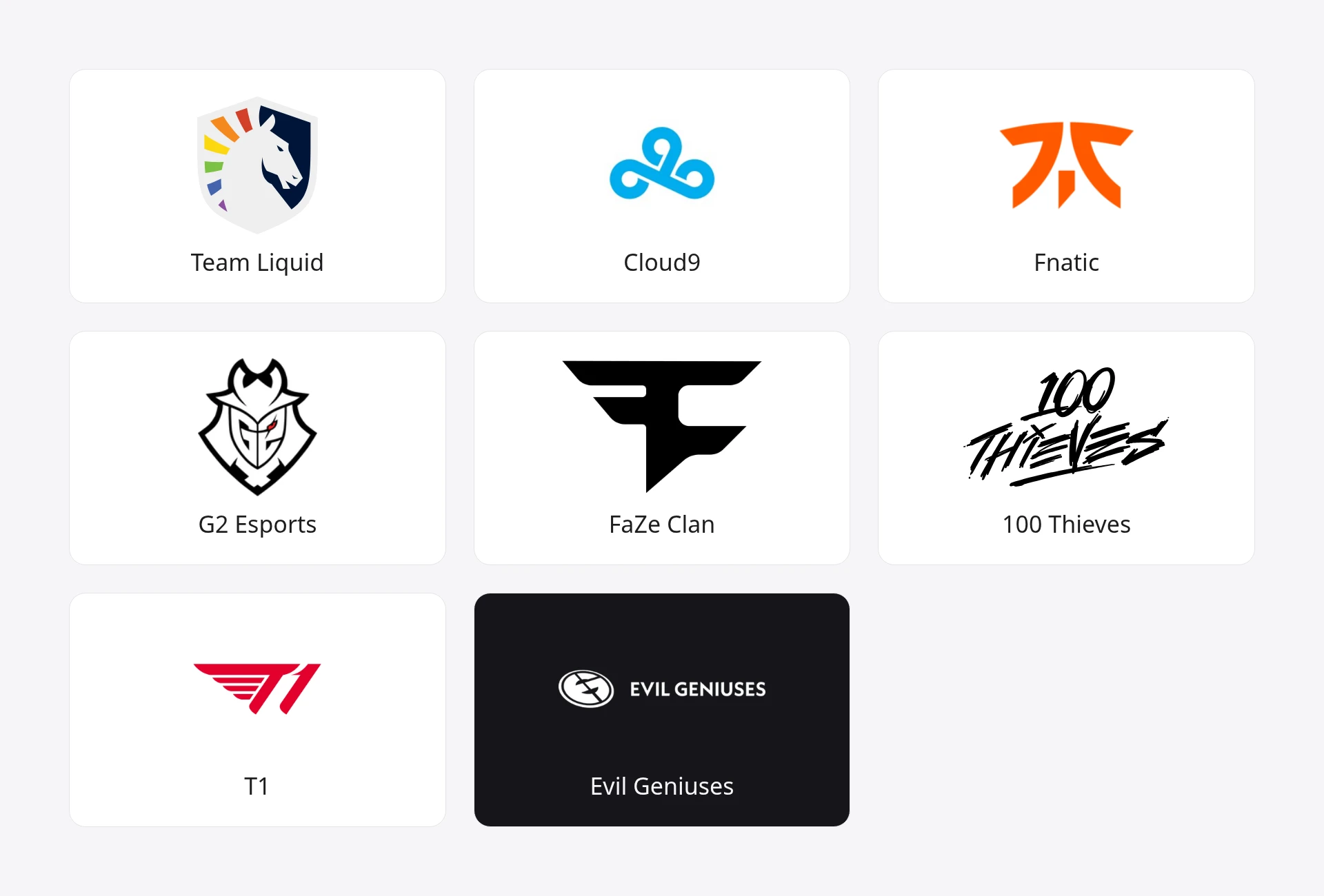
Here's what each mark is built from, from the lineup I made on November 25, 2026:
| Team | Logo type | What the mark is built from |
|---|---|---|
| Team Liquid | Mascot | A horse head inside a shield, no word |
| Cloud9 | Abstract symbol | A looping cloud shape, no word |
| Fnatic | Abstract symbol | One angular orange shape, no word |
| G2 Esports | Mascot | A helmeted head with the letters G2 worked into the face |
| FaZe Clan | Letter mark | A single sharp letter F |
| T1 | Letter mark | The characters T1 with speed lines |
| 100 Thieves | Wordmark | The name in rough brush lettering |
| Evil Geniuses | Symbol plus name | A round EG symbol next to the name |
Three things jump out:
- Six of the eight have no word on them. Only 100 Thieves and Evil Geniuses spell anything out, and even Evil Geniuses keeps a round symbol that can stand alone.
- Mascots and letters split the rest. Two mascots, two abstract symbols, two letter marks. There's no single gaming look you have to copy.
- Seven of the eight sit roughly in a square. Evil Geniuses is the wide one, and its round symbol can be pulled out on its own. That's no accident when a logo spends most of its life as an avatar.
Team Liquid's horse shows how long a mascot can last. Its history post says the original site banner, made in 2001 by a forum user called Smorrie, showed white horses running through snow, and the horse stuck around. In 2016 the team cut the mane from seven strands to six to balance the shield, "making the entire logo a bit more symmetrical and appealing" (Team Liquid).
So which kind should you pick? A solo streamer whose tag is the brand can start with a letter mark or a short wordmark. A team or clan gets more out of a mascot, because it gives fans something to wear. If you want a refresher on the vocabulary, the guide to what a logo mark is covers symbols, wordmarks and combination marks, and the monogram logos guide is useful if you're working with initials.
Step 4: Sketch 20 Tiny Ideas
Fill one page with 20 ideas, each no bigger than a coin. Spend a minute or less on each.
Tiny sketches force simple shapes, and simple shapes are what survive at 98 pixels. You can't fit fine scales on a dragon or a dozen spikes on a helmet at that size, which is the point.
Try a mix:
- Your tag's first letter, sharpened or slanted
- The full tag in a few lettering styles
- An animal or character that matches your name or playstyle
- An object from your main game, simplified into a silhouette
- Your initials inside a shape: a shield, a hexagon, a circle
Circle the three that still read when you squint. Those move on.
Step 5: Build the Lettering From a Licensed Font
Whether the logo is a wordmark or just one letter, the type does a lot of work. Look at FaZe's F or T1's characters in the grid: both are built from heavy strokes with angled cuts, so they look fast even when they're tiny.
Pick a typeface that fits your vibe, type your tag in it, then customize it:
- Cut the ends at an angle to add speed, the way T1's strokes are sliced.
- Stretch one letter so it frames or anchors the rest.
- Tighten the spacing by eye until the letters feel like one shape.
- Lock letters into the mascot or symbol, like the G2 in G2 Esports' helmet.
Check the license before anything goes on a jersey. Google says its fonts are open source and can be used commercially, including in logos. Fonts from random free-font sites are often personal-use only. This list of the best fonts for logos notes which popular ones are cleared for commercial use.
Step 6: Choose Colors That Pop on Dark Screens
Most gaming happens on dark backgrounds: dark-mode Discord, dark game menus, dark overlays. Your colors need to stand out there first.
Keep it to one or two main colors plus white or black. Look back at the grid: Cloud9 is one blue, Fnatic is one orange, T1 is one red. One strong color is easier to remember and cheaper to print on a hoodie.
Bright, saturated colors like electric blue, acid green and hot pink read well on black. This guide to neon colors and their hex codes shows which ones stay readable on dark backgrounds. If you're starting from nothing, the color palette generator builds a set from a single keyword like "cyber" or "lava."
Step 7: Turn It Into a Vector File
Photograph your final sketch straight on and bring it into your vector app. Trace it with the pen tool rather than auto-trace if you can: you'll get cleaner points and crisper angles.
A vector logo scales from a 98-pixel avatar to a stage banner without going blurry. When it's done, export:
- An SVG or PDF for jerseys, stickers and printers
- Large PNGs with a transparent background for overlays and video. The guide to creating a transparent logo shows how.
- A white version for dark backgrounds
- A square version with just the symbol or letters, for avatars and server icons
Step 8: Test It at 98 Pixels
Before you upload it everywhere, test it where it'll be judged:
- As an avatar. Shrink the square version to 98 x 98 pixels, the size YouTube renders profile pictures at. Can you still tell what it is?
- On dark and on light. Check the white version on black and the color version on a light Discord theme.
- In a circle. Many platforms crop avatars to a circle. Make sure nothing important sits in the corners.
- Next to other channels. Put it in a row of real avatars from your game's category. Does it look like a copy of the biggest streamer in that row?
- On a shirt mockup, if a team is going to wear it.
This logo review guide has more checks, and the standard logo size guide lists what other platforms ask for.
Pro teams design for the same range of uses. When Fnatic redesigned its logo in January 2020, it called the new mark "simplified, cleaner, sharper" and said it was "bold and solid across a range of use cases, from apparel to digital, hardware to in-game" (Fnatic).
What Makes a Good Gaming Logo?
A good gaming logo is simple enough to read as a tiny avatar, bold enough to stand out on a dark screen, and specific enough to feel like yours. It usually relies on one strong shape, a mascot, a symbol or one or two letters, plus one or two bright colors, and it works without the full name attached.
Six of the eight esports logos in Step 3 pass that last test. The other two still keep the shapes simple and the colors limited.
Can You Make a Gaming Logo for Free?
Yes. A pencil, paper and a free vector app like Inkscape are enough to make a gaming logo, as long as the font you use is licensed for commercial use. Your only real costs come later, if you print jerseys or stickers.
Free online logo makers are another route, but check the download terms first. Some add a watermark or charge to export a high-resolution file.
How Much Does a Gaming Logo Cost?
A gaming logo costs nothing but time if you make it yourself. If you hire someone, the price depends on who you hire and on how much drawing the job needs: a simple letter mark is a smaller job than a fully illustrated mascot with poses for emotes. The breakdown of how much a logo costs compares the main routes, from doing it yourself to hiring a designer.
Budget for printing too, if a team will wear the logo.
Common Mistakes
- Too much detail. Scales, shading and tiny text vanish at avatar size.
- Only a wide version. A logo with your full tag in a long line turns into a smudge in a profile circle.
- Copying a pro team. A horse in a shield or a sharp F will read as a knockoff, and it can draw a trademark complaint.
- Five neon colors at once. Pick one lead color. Let white or black do the rest.
- A personal-use font. It's fine for a thumbnail test. It's a problem on merch.
- Redesigning too often. Evil Geniuses learned this one in public. Fans were unhappy with "a redesign rolled out last December" in 2019, and by May 2020 the team released a new crest that "riffs on the 20-year-old team's original logo with a stylized EG" (Georgia Straight).
Pro Tips
- Design the square first. Your avatar is seen more often than your banner.
- Make a mascot you can pose. A character with a few expressions turns into emotes, stickers and thumbnail reactions later.
- Keep a gritty version and a clean one. Use the textured one on banners and the flat one where it's small.
- Borrow from your game, not from its logo. A sword, a crosshair or a power-up shape can hint at your game without copying its trademark.
- Look outside gaming. Bands face the same problem of looking good on merch and tiny screens, and the guide on how to make a band logo has lettering ideas that carry over. For a vintage arcade feel, see the retro logos guide.
Frequently Asked Questions
How do I make my own gaming logo?
Start with your gamer tag or team name and a list of places the logo will appear. Sketch 20 small ideas, pick the one that still reads when tiny, then rebuild it in a vector app like Inkscape using a commercially licensed font. Keep it to one or two bright colors and test it at 98 pixels on a dark background.
Should a gaming logo be a mascot or text?
It depends on who it's for. A team or clan gets a lot out of a mascot, because fans can wear it and it can become emotes and stickers. A solo creator whose tag is the brand can start with a letter mark or a short wordmark. Six of the eight esports logos I lined up use a mascot, a symbol or letters rather than a word.
What colors are best for a gaming logo?
Bright, saturated colors that stand out on dark screens work best, such as electric blue, red, orange or acid green. Use one lead color plus white or black. Several big esports teams, including Cloud9, Fnatic and T1, rely on a single strong color in their main mark.
What size should a gaming logo be?
Design it as a vector so it has no fixed size, then export what each platform asks for. Make a square version for avatars, since YouTube renders profile pictures at 98 x 98 pixels and other platforms use small squares or circles too. Make a wide version for banners and overlays.
Can I use a game's characters in my gaming logo?
It's risky. Game characters and logos belong to the studios that made them, and using them in your own branding, especially on merch, can lead to a takedown or a trademark claim. Draw your own character or a simplified object inspired by the game instead.
Where to Go From Here
Tonight's job is small: lock the name, list where the logo has to live, and fill one page with tiny sketches. Most of the esports logos in this guide are one strong shape you could draw in a minute.
If you'd like some directions to react to first, LogoGen is one option: you type your gamer tag or team name and a short description, pick a style and colors, and it generates logo options, typically in under 10 seconds. It supports English characters only, so a tag in another alphabet needs hand finishing. Treat what comes back like a page of thumbnails and refine your favorite through Steps 4 to 8. For more on making a logo that works on a small screen, see the ideas for TikTok logos too.